

Picture Rosa, who bakes custom cakes to order in Panama City. One Tuesday night, a customer sends her a WhatsApp message: “I tried to place my order on your website, but the browser told me the site isn't secure and I got nervous about entering my details.” Rosa opens her website on her phone, and there it is, right next to the address: a warning she had never noticed. That same night she types into Google: “what is the little green padlock on websites.”
If you landed here with a similar question, you're in the right place. That little padlock has a technical name, an SSL security certificate, and even though it sounds complicated, the idea behind it is pretty simple. In this guide we explain what it is, what it protects (and what it doesn't), why your business needs one and how to check in two minutes whether your website has it set up correctly.
What an SSL certificate is, in plain words
An SSL certificate is a small digital file that lives on your website's server and does two jobs at once.
- It encrypts the conversation. Everything that travels between your customer's phone or computer and your website (a form, a password, card details) is turned into a code that no one can read along the way.
- It confirms the site's identity. It proves to the browser that the page your customer is looking at really is yourbusiness.com and not a copy set up by someone else.
An easy way to think about it: sending data through a website without a certificate is like mailing a postcard. Anyone who handles it along the way can read it. With a certificate, that same message travels inside a sealed envelope that only the intended recipient can open.
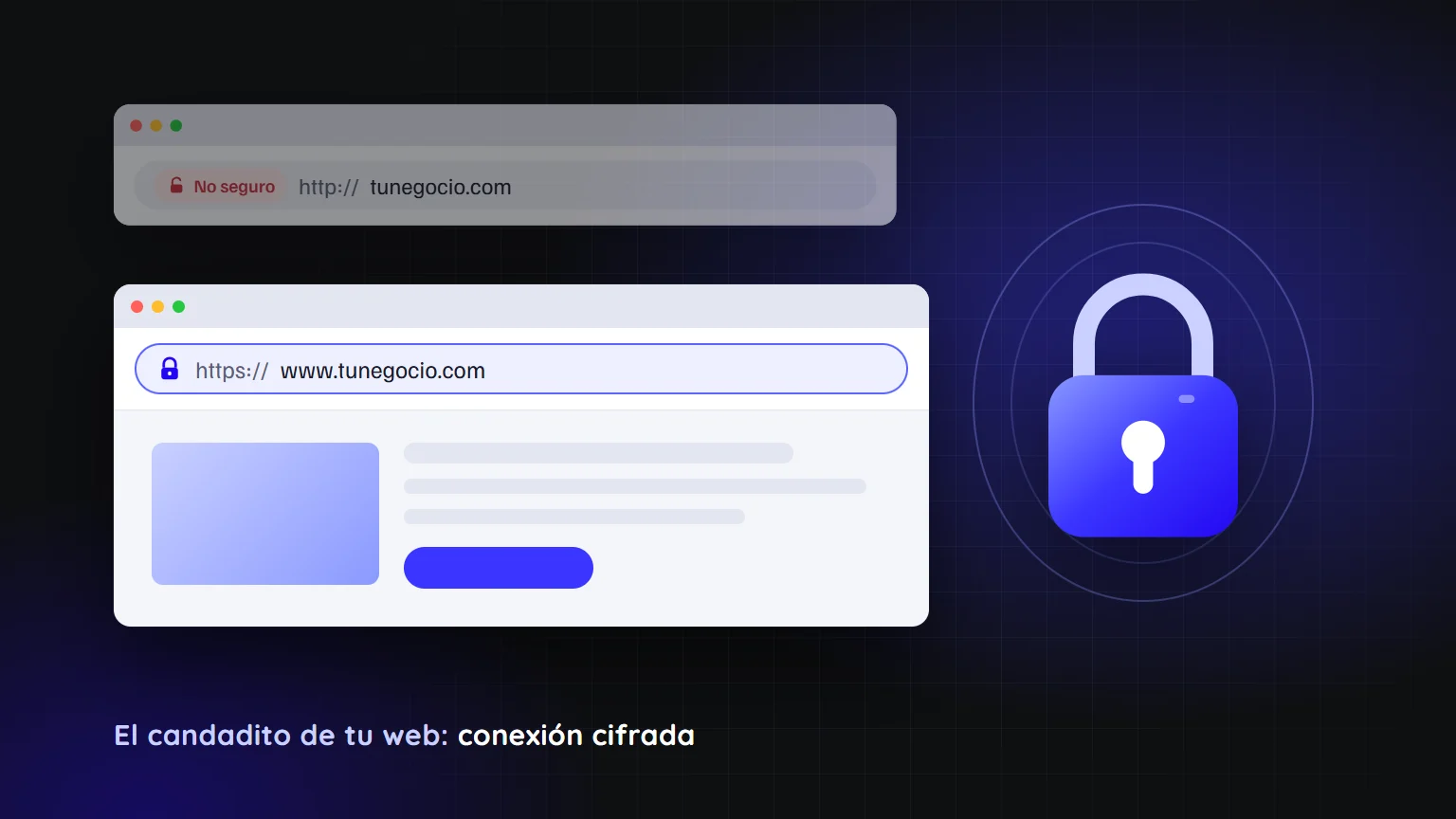
When a website has an active certificate, its address starts with https:// instead of http://. That final “s” means exactly that: secure.
The famous “little green padlock”: what you see in your browser today
Lots of people still call it “the little green padlock,” and that makes sense: for years, browsers showed a green padlock next to the address of protected sites, and some banks even had their name displayed in green in the address bar. Over time, that changed.
- In 2023, Google Chrome replaced the padlock with a settings-style icon (two lines with circles). It did this because many people believed the padlock meant “this site is trustworthy,” when in fact it only shows that the connection is encrypted. If you tap that icon, you can still see whether the connection is secure.
- Safari, Firefox and Edge still show a padlock, usually in gray or black, not green.
- If the site doesn't have a certificate, almost every browser shows a “Not secure” warning next to the address. Chrome has done this since 2018 for every page that loads without https.
So if your website shows the padlock or the settings icon and the address starts with https, you're in good shape. If you see “Not secure,” like Rosa did, it's time to look into it.
What the padlock protects, and what it doesn't
There's a very common mix-up here that's worth clearing up, because it affects your customers and it affects you when you shop online.
| The certificate DOES this | The certificate does NOT guarantee this |
|---|---|
| Encrypts data while it travels between the visitor and the website. | That the company behind the site is honest. |
| Keeps someone on the same Wi-Fi network from reading what you type. | That the website has no security flaws on the inside. |
| Confirms you're on the domain shown in the address bar. | That it isn't a fake page with a similar name. |
| Prevents the “Not secure” warning in the browser. | That your passwords or your admin dashboard are protected. |
In other words: these days almost every fake page that tries to steal data also has a padlock, because getting a certificate is easy and free. The padlock tells you no one is listening in on the conversation, not who's on the other end. That's why, before you pay on a site you don't know, take a close look to make sure the address is spelled correctly.
Why your business needs a security certificate
Today, having https isn't an extra; it's the bare minimum for a business website. These are the reasons that matter most.
Your customers' first impression
The “Not secure” warning shows up right where people look first: next to your website's name. For someone who isn't tech-savvy, that message reads as “someone could steal from me here.” Even if your website is purely informational, many people close the page and look for another option. Just like with Rosa's customer, the problem isn't technical; it's about trust.
Forms, bookings and payments
If your website has a contact form, a booking button or a shopping cart, you're receiving personal data: names, phone numbers, email addresses and, sometimes, payment details. Payment gateways require https to work, and it's your responsibility to look after that information while it travels.
Google and browsers take it into account
Google has used https as one of many signals for ranking its results since 2014. It isn't the most important one, and having a certificate won't get you to the top spot on its own, but not having one does work against you. Modern browsers also restrict certain features on websites without https, like asking for the visitor's location or installing the website as an app on a phone.
Types of certificates: which one a business website needs
When you look for a certificate, or someone offers you one, you'll see three types. The difference isn't the encryption, which is equally strong in all three, but how thoroughly the identity of whoever requests it is verified.
| Type | What gets verified | Who it makes sense for |
|---|---|---|
| DV (Domain Validation) | Only that you control the domain. | The vast majority of business websites, small stores and blogs. |
| OV (Organization Validation) | The domain, and that the company legally exists. | Mid-sized companies that want their details shown in the certificate. |
| EV (Extended Validation) | A more in-depth review of the company. | Banks and large platforms, due to internal requirements. |
For a small or mid-sized business in Panama, a DV certificate is enough in the vast majority of cases. EV certificates no longer show the company name in green in today's browsers, so paying more for one is rarely worth it for a small business.
Free or paid certificate?
There's a nonprofit organization called Let’s Encrypt that issues free DV certificates, and today most web hosting providers include them at no cost and renew them automatically. For most businesses, a properly installed free certificate protects just as well as a paid one of the same type.
What paid certificates do add is support from the issuer, the option to validate your organization (OV or EV) and, in some cases, financial warranties. If your provider wants to charge you for a basic certificate, first ask whether a free one is included: very often it is.
Something worth knowing: certificate lifespans keep getting shorter. Since March 2026, a public certificate can last no more than 200 days, and that limit will keep dropping over the next few years. That's why it's key for renewal to be automatic, instead of depending on someone remembering.
How to tell if your website's certificate is set up correctly
You don't need to be technical to check. Run this quick test from your phone and from a computer:
- Type your address without the “s”: http://yourbusiness.com. If your website is set up correctly, it should switch to https:// on its own.
- Try it with and without “www.” Both versions should take you to the same secure address.
- Look at the address bar. You should see the padlock (or the settings icon in Chrome) and never the “Not secure” warning.
- Tap the padlock or the icon. The browser will tell you whether the connection is secure and let you see the date the certificate is valid until.
- Go through your key pages. Check the contact form, the cart and the checkout page, not just the home page.
Common certificate problems (and how to fix them)
In our preventive support work, we see the same problems over and over. Almost all of them are quick to fix when they're caught in time.
- The certificate expired. The browser shows a full-screen warning and most visitors leave. This usually happens when renewal isn't automatic or after a change of hosting.
- Mixed content. The page loads over https, but an image or file is still coming in over http. The padlock disappears or shows up with a warning. It's fixed by updating those addresses.
- The redirect is missing. The website works with https, but if someone types http, they see the insecure version. The fix is to always redirect to the secure version.
- The certificate doesn't cover every version. It works with “www” but not without it, or the other way around. Both need to be included in the certificate.
If you'd like to go deeper into caring for your whole site, our guide to keeping WordPress secure and fast includes a monthly routine with this check.
Frequently asked questions
Are the little green padlock and the SSL certificate the same thing?
Yes, for all practical purposes. The padlock is the visible sign the browser shows when a website has an active SSL certificate and the connection is encrypted. These days it's rarely green, and in Chrome it looks like a settings-style icon, but it does the same job.
Does my website need a certificate if I don't sell anything online?
Yes. Even if your site only has information and a contact form, without a certificate browsers show the “Not secure” warning, which scares off a lot of visitors. On top of that, anything people type into your form would travel unprotected.
How much does a security certificate cost?
A basic certificate (DV) can be free, and most hosting providers include one in their plans. Organization Validation (OV) and Extended Validation (EV) certificates come with a yearly fee, and only companies with specific requirements need them.
How often does a certificate need to be renewed?
It depends on the issuer, but today no public certificate lasts longer than 200 days, and free ones are usually renewed every 90 days. What matters is that renewal happens automatically; if someone has to do it by hand, sooner or later it gets forgotten.
Does the padlock mean I can trust any online store?
No. The padlock only confirms that the connection is encrypted, not that the company is trustworthy. Before you pay, also check that the web address is spelled correctly and that the store has real contact information and reviews from other customers.
Let your customers see the padlock, not the warning
In a case like Rosa's, the fix is usually simple: turn on the free certificate that already comes with the hosting, redirect everything to https and make sure forms and payments load without warnings. If you have questions about your website, write to us and we'll review it with you at no cost. And if you're about to build a new one, through our web development service we deliver it with its certificate active, automatic renewal and everything registered in your name.